

Building blocks in Outlook
f you regularly create emails with similar content, such as order or appointment confirmations, you will want to use a template for that. With iWRITER 365 for Outlook you can easily insert building blocks, that you can design in iWRITER 365, into your e-mails by yourself. A building block consists of text that is formatted in a certain layout and can contain question/choice fields to personalize your text. You can insert these building blocks into both documents and emails.
When writing an email it is a matter of selecting the correct building block and inserting it. The wizard lets you supplement the text with specific data. You can type the data yourself or, when you have linked fields to, for example your Outlook contacts, the data will be filled in automatically.
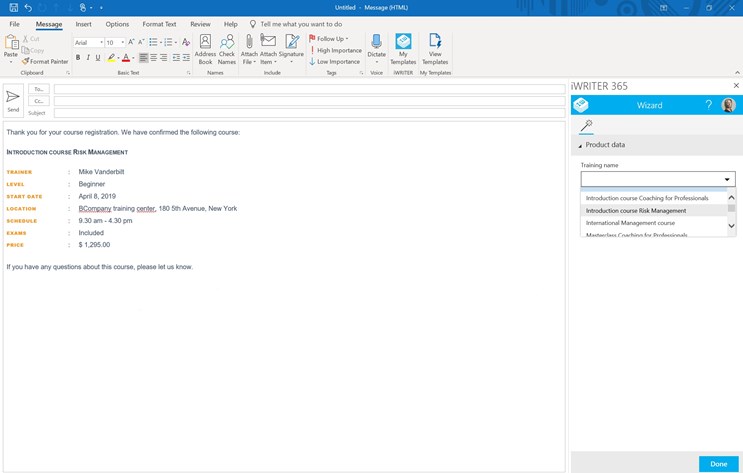
In short, with a few mouse clicks you will have prepared your email, using the corporate identity of your organization.