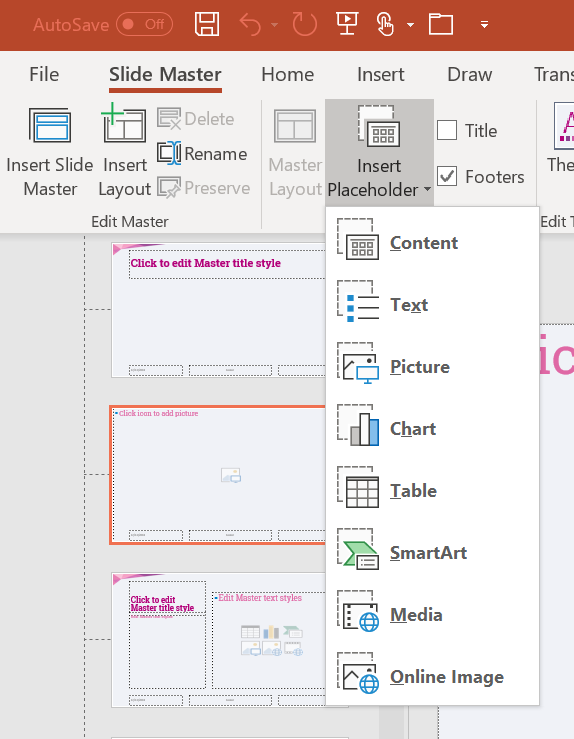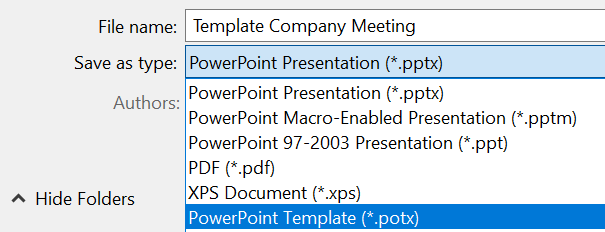


From corporate identity to layout
Most organizations have recorded their corporate identity in a corporate identity manual (also called a brand book). It describes the visual characteristics that can be recognized as being unique to the organization. Its purpose is to present professionalism, reliability and recognition to the outside world. The following elements can be used to make up this corporate image:
The corporate logo (and the location)
- The use of color
- The font
- Design elements (rectangles, circles, triangles, etc.)
- A standard place for text
- A standard bottom navigation bar
You can embed these characteristics as follows:
- Create a blank presentation and go to the View tab. Click on the Slide Sorter.
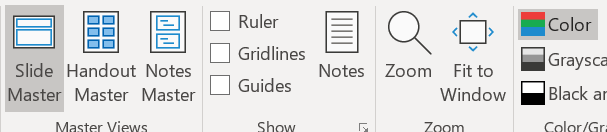
- You are then given the option to adapt the standard slides by clicking on Color, Font or Background Styles.
Think carefully about how you want the layout to be. You only need to record this once in your PowerPoint template and can then make unlimited use of it, so it is really worth the time investment. Take enough time to consider the placement of the company logo, the colors, but also the legibility (contrast and fonts).