

iWRITER 365 for PowerPoint
iWRITER 365 for PowerPoint is a Microsoft Office 365 Add-in with which you are able to make presentations available to users in your organization. It can be accessed at organization level, but also at department, team or even individual level. The presentations are in the 'cloud', which means that there is only one version of each presentation and that changes to a presentation are available straight away.
Converting presentations to iWRITER 365
Maybe you already use PowerPoint templates (read more about this in the blog How to make a PowerPoint template?). But even if you don’t have PowerPoint templates, you can easily transfer presentations to iWRITER 365 for PowerPoint.
Open the presentation (or template) and iWRITER 365 for PowerPoint in Design mode. Then open the folder in which you want to save the presentation, for example Marketing. Click on 'New project', fill in the name of the template, a description if desired and then save the template. The presentation can be used right away.
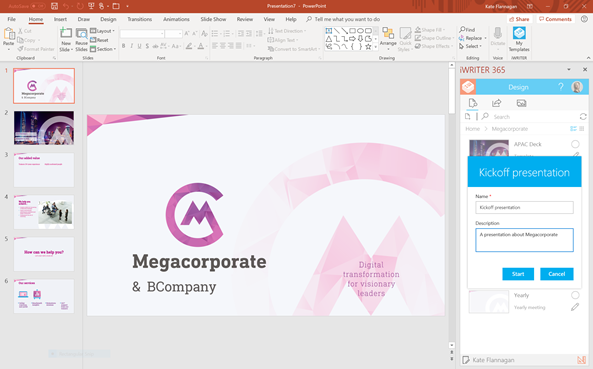
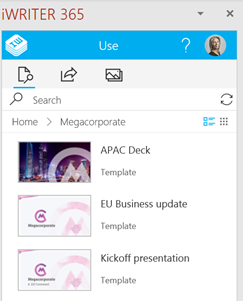
Use
You can create a new presentation by clicking on the desired template. The presentation that is made, complies with the corporate identity. It is possible to customize this presentation in any way you see fit, using the standard PowerPoint functionalities. You can also add images from the iWRITER 365 library, for example.
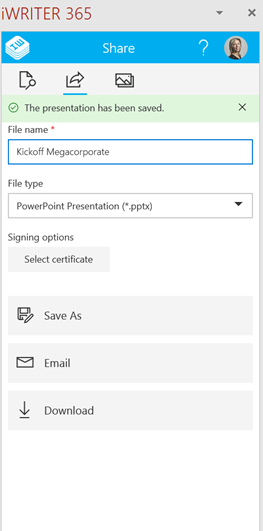
When your presentation is ready, you can save it as a PowerPoint file or PDF in Microsoft OneDrive, SharePoint or locally on your computer. And if you want to email the presentation, this is of course also possible.
Conclusion
You can easily convert an existing PowerPoint presentation or template to an iWRITER 365 for PowerPoint template. This is centrally stored in the cloud, so that the template is immediately available. Access to the template can be set at various levels (organization, department, team, personal). In all cases, only one version is in circulation. Changes in the template are immediately available, so that everyone will always work with the most up-to-date presentation.
Do you also want to simplify the management of PowerPoint presentations? Please contact us.